The Winter ’26 release of Bolt Data Connect delivers smarter AI-driven insights, improved access to aggregated IoT data, and major user experience upgrades across Salesforce and ServiceNow. This release focuses on helping teams understand asset behavior faster, operate more efficiently, and extensively analyze data within the app.
What’s New
Smarter IoT Copilot (Salesforce and ServiceNow)
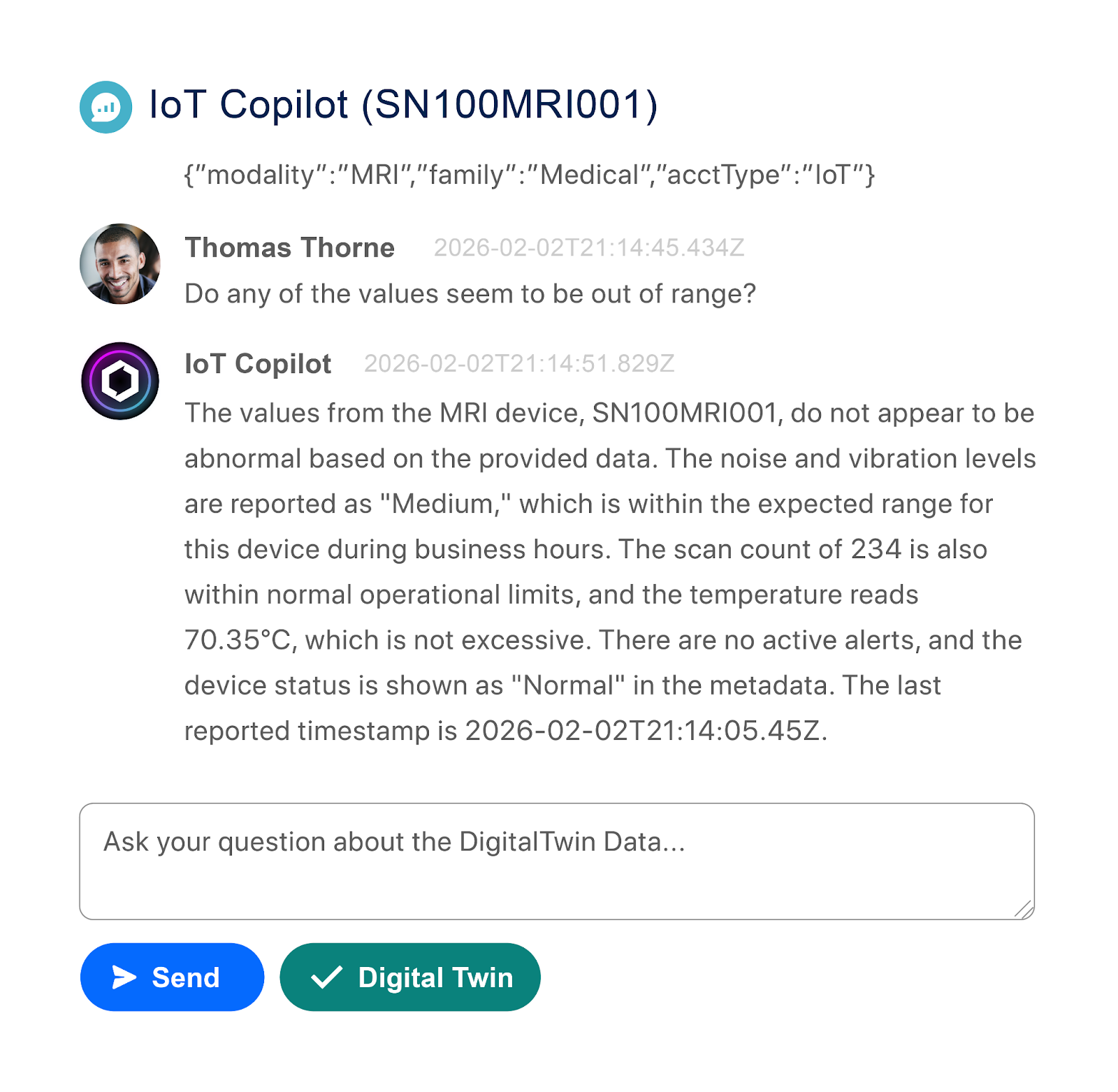
IoT Copilot has been significantly enhanced to deliver more accurate, contextual, and scalable insights across your connected asset ecosystem. Users can now ask richer, more operational questions across individual assets or entire fleets and get clear, data-backed answers instantly.
What’s new:
Global IoT Copilot (All Assets) IoT Copilot now supports global, cross-asset questions, making it easy to understand fleet-wide health and performance. Example questions include:
“How many [Thing Type] assets are currently Normal, Offline, or in Alert?”
“Which [Thing Type] assets currently have active alerts?”
“How many [Thing Type] assets are in an Alert state right now?”
“List all [Thing Type] assets where [Sensor Name] is greater than [Value].”
Thing Type Instructions Admins can now define natural-language instructions at the Thing Type level to describe how sensors, telemetry, and calculated values relate to each other. This gives IoT Copilot deeper context about your data model and improves answer accuracy across all assets of that type.
Context-aware Copilot Queries Launch IoT Copilot directly from charts, digital twin views, and filtered datasets. Copilot automatically understands the current asset, time range, and filters, allowing users to ask follow-up questions without restating context. Examples include:
“Summarize the values shown in this chart.”
“What specific values caused this alert to trigger?”
“What were the start and end times for this alert?”
“What were the minimum and maximum values during this time period?”
Built-in Telemetry Summarization and Analytics IoT Copilot can now analyze telemetry and return meaningful summaries for specific assets and time ranges, including:
“Summarize the latest telemetry values for this asset.”
“Summarize the [Sensor Name] values.”
“What was the [Sensor Name] reading between [Date/Time A] and [Date/Time B]?”
“What was the average [Sensor Name] yesterday?”
“What alerts are active right now, and exactly when were they triggered?”
Data Lake Calculations (Salesforce)
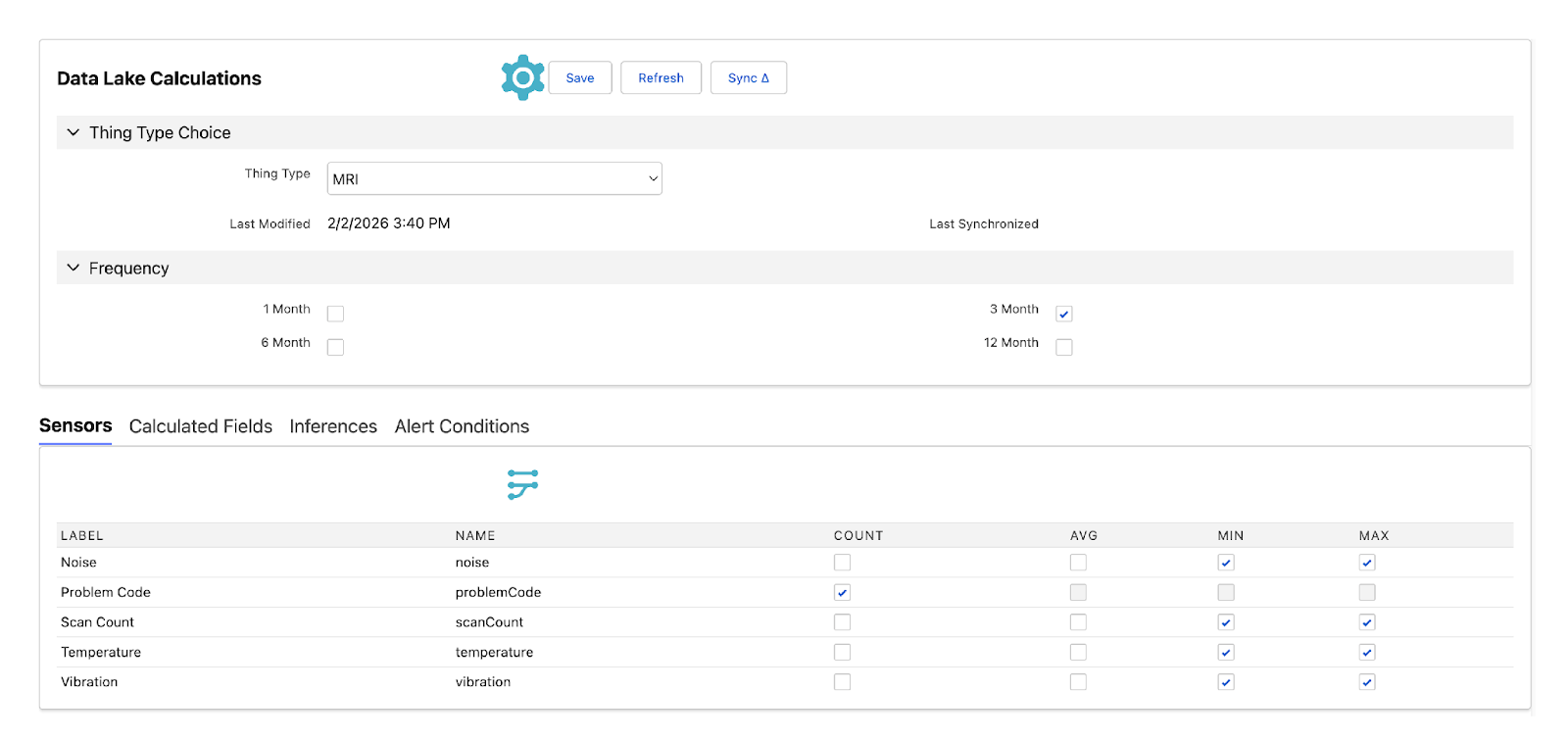
Data Lake Calculations make it easy to create aggregated metrics from large volumes of IoT data and surface them directly in Salesforce reports and dashboards.
Key features:
Define calculated metrics per Thing Type
Select time-based frequencies including 1, 3, 6, or 12 months
Apply calculations across sensors, calculated fields, model inferences, and alert conditions
Automatically sync results into Salesforce for reporting and visualization
Reduce the need for external BI tools for common aggregation use cases
This capability lays the foundation for advanced use cases such as asset health trending and early indicators of asset end-of-life.
Salesforce Improvements
Improved simulator stability Simulators now run internally within Salesforce rather than relying on an external cloud runtime. This improves reliability while maintaining the same user experience.
ServiceNow Enhancements
The Winter ’26 release significantly expands and refines the Bolt Data Connect experience on ServiceNow. New and improved capabilities include:
Asset auto-registration: Automatically register assets as data is received, reducing manual setup and configuration.
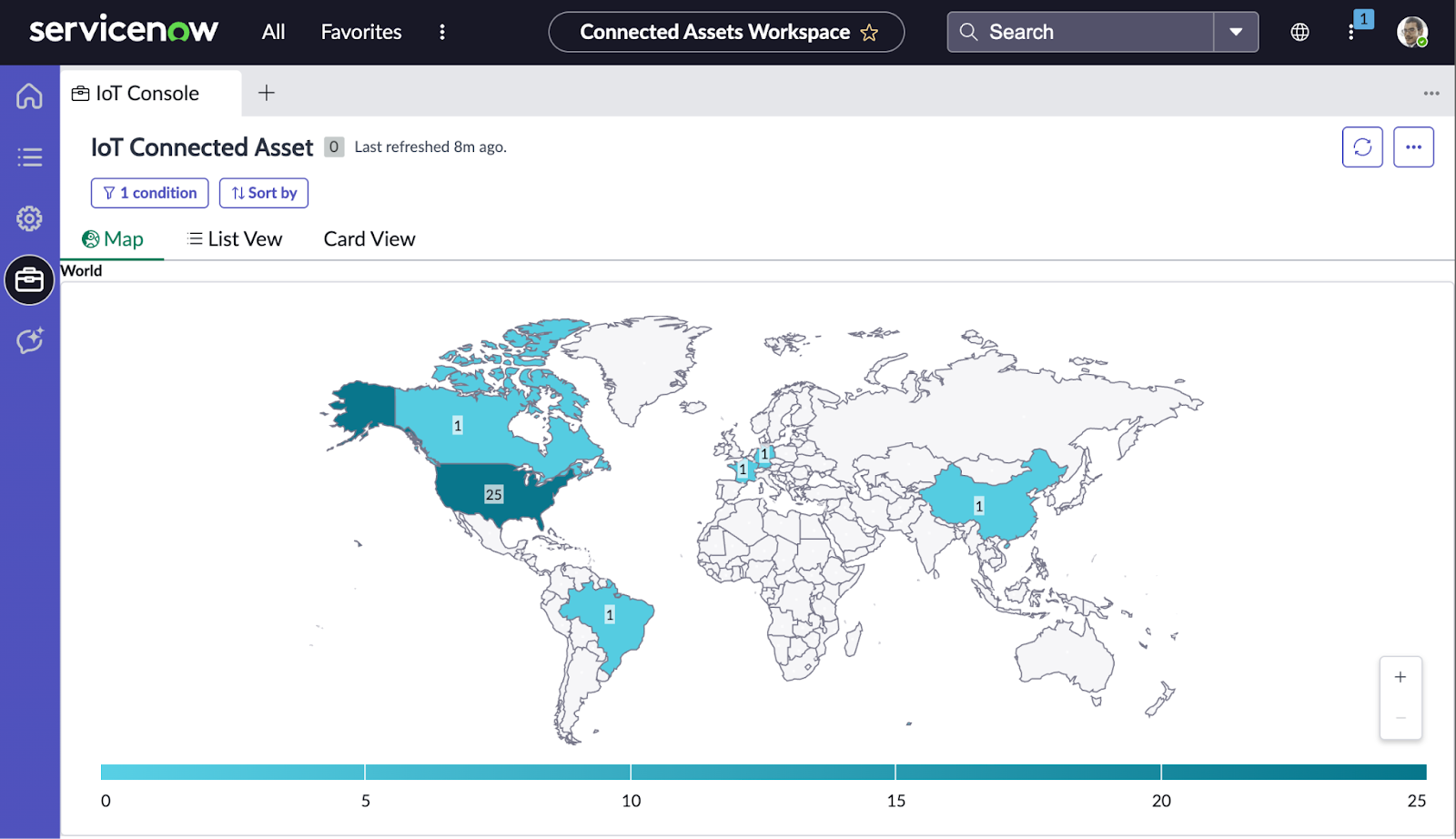
IoT Console with map and data grid: A unified console that combines geospatial views with tabular data. Filtering updates the map and grid simultaneously for faster analysis.
Gateway Management Console: Send commands to gateways, diagnose issues, and troubleshoot connectivity directly from ServiceNow.
Sensor gauge configuration: Configure sensor gauges directly from the Thing Type page without building or wiring flows. Gauges render automatically on asset records.
Workspace V2: A cleaner, more streamlined workspace with fewer tabs and reduced visual noise, making it easier to focus on critical information.
Formula Editor: A ServiceNow-native, pillbox-style editor for building formulas and expressions using drag-and-drop components.
Enhanced mobile experience: Improved mobile navigation with gesture-based access to key views such as digital twins, charts, work orders, and alert history.
Things to Know
Global Copilot performance improves with well-defined Thing Types and clear instructions.
Some backend integration work in this release supports ServiceNow enablement and may not introduce visible UI changes.
Data Lake Calculations are designed for common aggregation and trending use cases and complement, rather than replace, advanced analytics platforms.